
Intro
If you fall behind in your flashcard study routine, you can catch up. You need to adjust some of the settings in Anki to make it help you catch up. In this tutorial, I’ll show you how to configure your Anki to help you catch up.
IMPORTANT: The screenshots that you see in this tutorial will look a little different in your mobile AnkiDroid or Anki for iPhone app because I am using Anki for Windows. However, all the same options exist in your Anki app for Android or iPhone.
If you are using AnkiWeb, your options will be different. Skip down to the AnkiWeb instructions below.
Tutorial
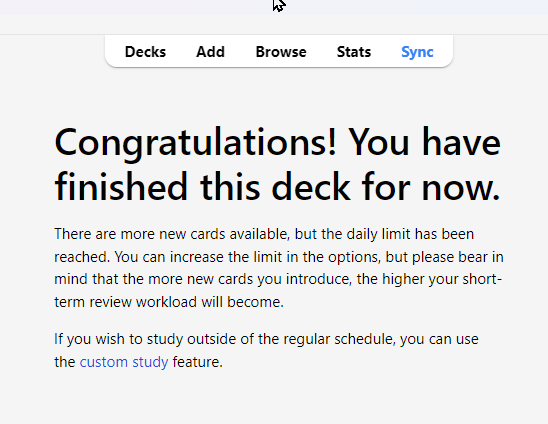
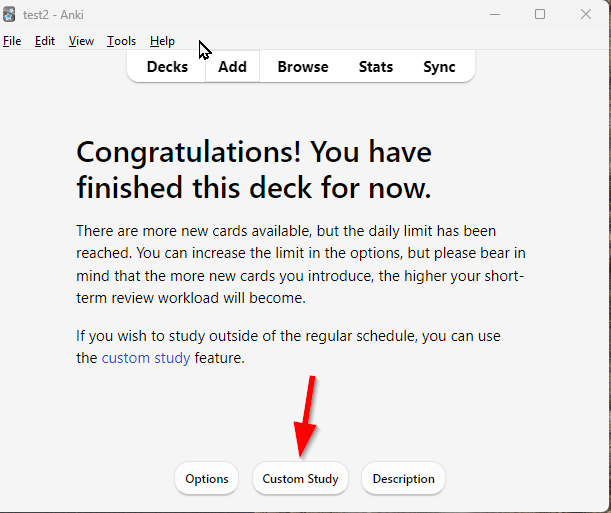
By defualt Anki will give you 20 new cards per day. If you want more, you need to tell Anki to give you more new cards. First, make sure you finish your regular flashcard study routine. You will know if you’ve finished your flashcards when you see a message like this:
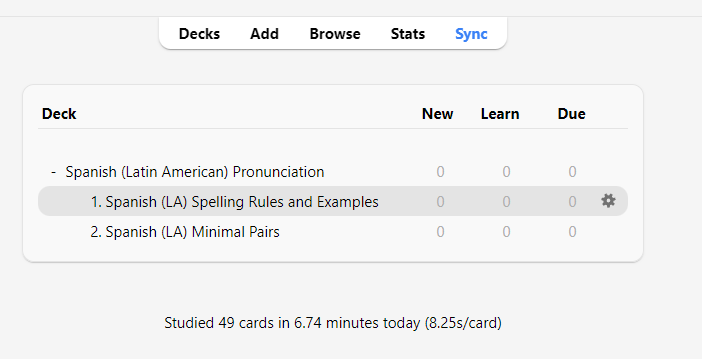
Go back to the decks screen where you see these decks.
Custom Study
Increase new card limit
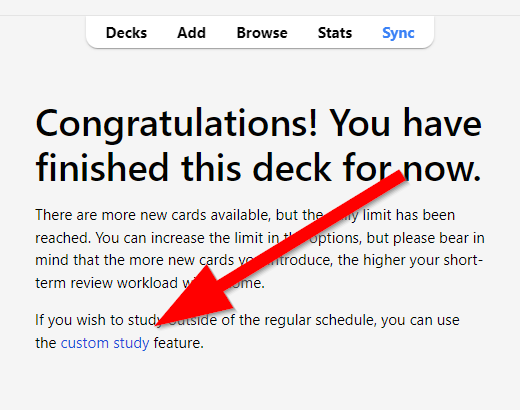
Click on “1. Spanish (LA) Spelling Rules and Examples.” You will see the same screen again. Click custom study.
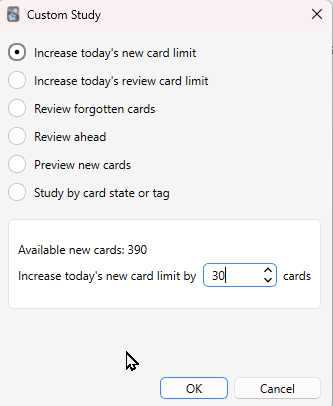
Enter the number of new cards you want to study in this box. I recommend 20-50 new cards. Click Ok.
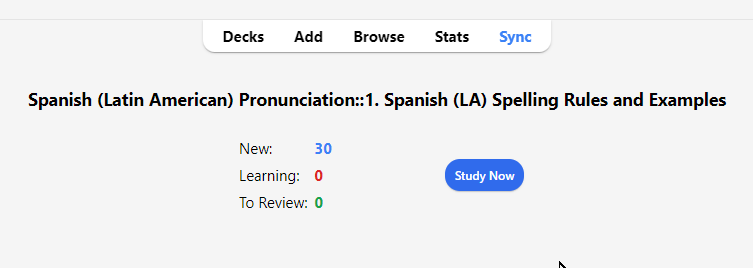
Click Study Now
Increase Review Limit
You’ll also want to increase your review limit. Click on Custom Study again.
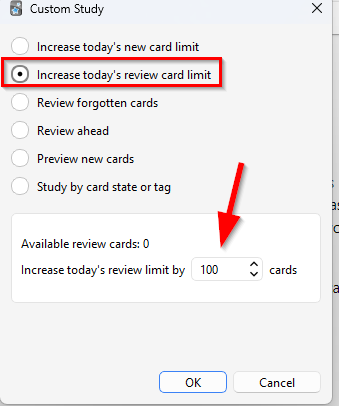
Click “Increase today’s review card limit” and enter the number of cards you want to study. Depending on how much you need to catch up, I recommend somewhere between 50 to 150.
Click “Study Now.”
If you don’t see the option for “Study Now,” that means you need to wait at least one day for some of your new cards to come back as review cards.
Repeat steps for Minimal Pairs deck
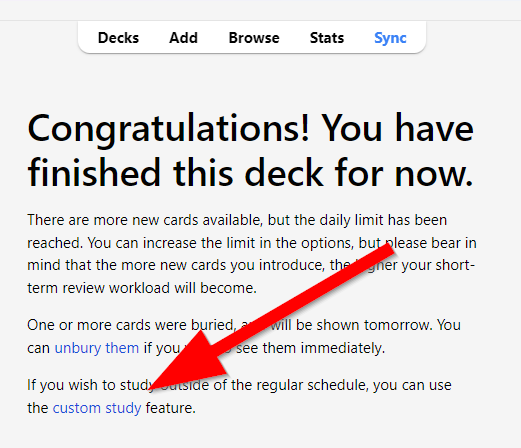
When you finish with panish (LA) Spelling Rules and Examples, go back to decks again and click on “2. Spanish (LA) Minimal Pairs.” Click on Custom Study again
Enter the number of new cards you want to study. I recommend 10-20 for these particular flashcards. More than 20 could be overwhelming for your brain.
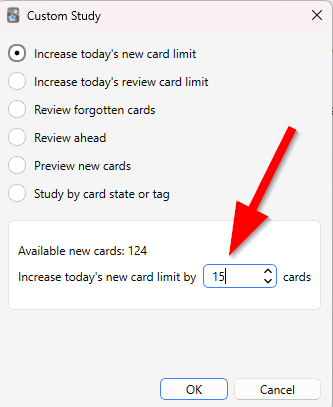
Click Study Now.
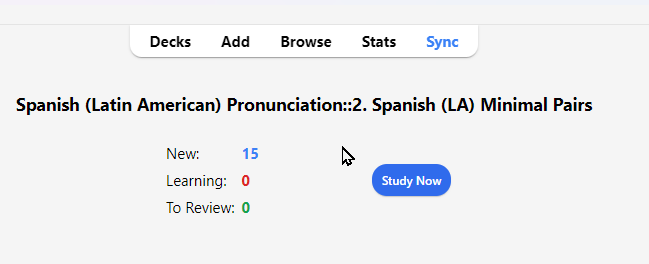
When you finish, click Custom Study again, choose Increase today’s review limit, enter the number of review cards you want to study (maybe 15-30), and click Study Now again.
AnkiWeb
AnkiWeb doesn’t have as many options, but you can increase the limits. You can increase the default new card limit and review card limit. Click on the deck.
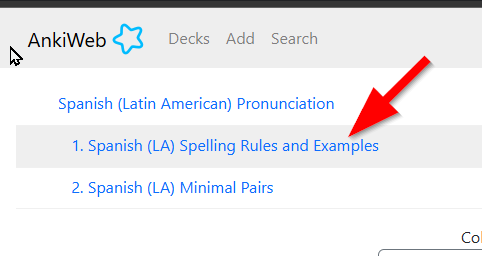
Click on limits.
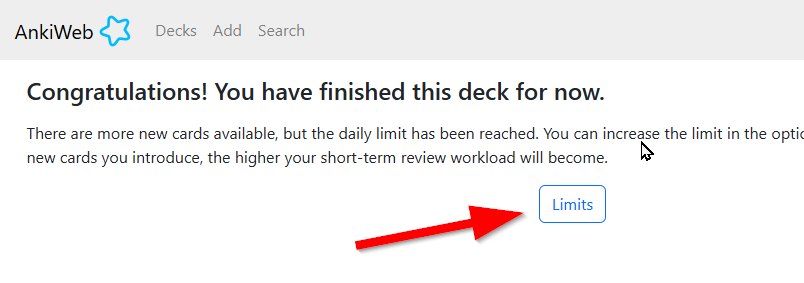
Change the new card limit to a higher number and click Save.
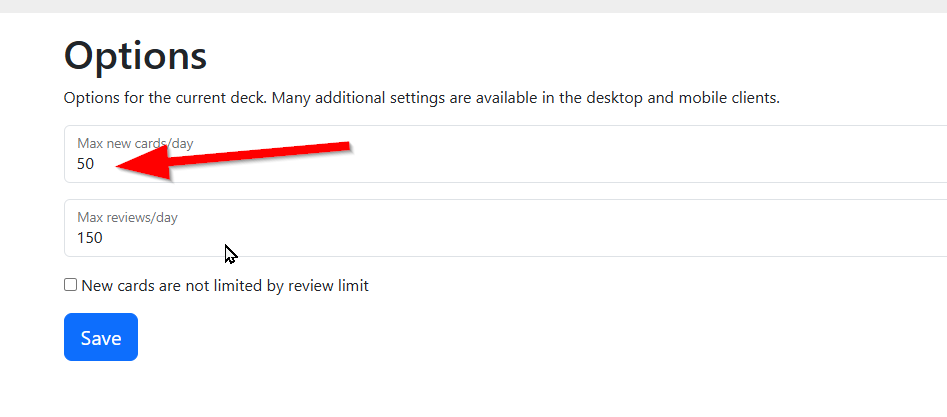
Now you can study more cards. You can repeat this process for “2. Spanish (LA) Minimal Pairs.”
Final Notes
Depending on how far you’ve fallen behind, you may need to use Custom Study several times to catch up. The best way to catch up is to do a little extra every day. Trying to do everything in one day is the worst way to study, and it will overwhelm your brain. I highly recommend NOT trying to study everything in one day. It will probably feel like torture. Studying languages is not torture unless you want it to be.
Leave a Reply
You must be logged in to post a comment.